\
**Category:** Get Help\
**Created:** [December 21, 2022, 4:25pm UTC](https://forum.adalo.com/t/adalo-show-wp-html-tag/34699 "2022-12-21T16:25:03Z")\
**Posts on this page:** 8\
**Page:** 1
**Author:**  [@Indave](https://forum.adalo.com/u/Indave)\
**Post date:** [December 21, 2022, 4:25pm UTC](https://forum.adalo.com/t/adalo-show-wp-html-tag/34699/1 "2022-12-21T16:25:03Z")
Ciao,
I connected WP and Adalo with Zapier.
When I display a news item on the app in Adalo, html tags are also displayed.
Is it possible to remove them?
Also, I can’t display the author’s name and featured image (I have already enabled hotlink protection).
Thanks in advance for your help 🙂

---
**Author:**  [@ishantanusrivastava](https://forum.adalo.com/u/ishantanusrivastava)\
**Post date:** [December 21, 2022, 5:24pm UTC](https://forum.adalo.com/t/adalo-show-wp-html-tag/34699/2 "2022-12-21T17:24:44Z")
Use markdown component instead of regular one.
---
**Author:**  [@Indave](https://forum.adalo.com/u/Indave)\
**Post date:** [December 21, 2022, 6:14pm UTC](https://forum.adalo.com/t/adalo-show-wp-html-tag/34699/3 "2022-12-21T18:14:12Z")
> [@ishantanusrivastava](#):
>
> markdown component
Thanks Ishant! But not works ;(
It should be an app for non-programmers… 🙂
---
**Author:**  [@Dilon](https://forum.adalo.com/u/Dilon)\
**Post date:** [December 21, 2022, 6:24pm UTC](https://forum.adalo.com/t/adalo-show-wp-html-tag/34699/4 "2022-12-21T18:24:02Z")
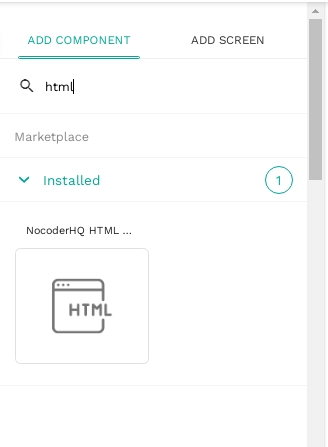
@Indave try with this component!

---
**Author:**  [@iAppsNi](https://forum.adalo.com/u/iAppsNi)\
**Post date:** [December 21, 2022, 6:50pm UTC](https://forum.adalo.com/t/adalo-show-wp-html-tag/34699/5 "2022-12-21T18:50:54Z")
If I were working with your workflow I would strip the HTML tags in Zapier if you are already using Zapier in your workflow.
## 1. Add a Formatter step to your Zap before creating the Adalo Record
- In the Zap editor, click the **Action** step, or click the **plus + icon** to add an action to your Zap.
- Select **Format**.
- Click the **Event** dropdown menu and select **Text**.
- Click **Continue**.
## 2. Set up the remove HTML tags transformation
- In the _Set up action_ section, click the **Transform** dropdown menu and select **Remove HTML Tags**.
- In the _Values_ section, click the **Input** field and select a **field with HTML tags** from a previous step.
- Click **Continue**.
## 3. Test your remove html tags transformation
- Click **Test & Review**. If the transformation is successful, HTML tags will be removed from the data, leaving plain text. Then you can add your Adalo record using the formatted text.
The above as the guys are suggesting will also work.
If I am using HTML I use the Rich Text by NoCodeMonkey
---
**Author:**  [@Indave](https://forum.adalo.com/u/Indave)\
**Post date:** [December 22, 2022, 11:59am UTC](https://forum.adalo.com/t/adalo-show-wp-html-tag/34699/6 "2022-12-22T11:59:52Z")
Hi iAppsNi! Thank U so much for your help!
It works well, i am happy now 🙂
I need one more help:
I have a problem with images and the author’s name. They are not being published correctly.
I have seen by surfing the net that there are few solutions and they require complex steps for my skills. Do you happen to have any easy solutions? 🙂
---
**Author:**  [@Indave](https://forum.adalo.com/u/Indave)\
**Post date:** [December 22, 2022, 12:20pm UTC](https://forum.adalo.com/t/adalo-show-wp-html-tag/34699/7 "2022-12-22T12:20:22Z")
Grazie Dylon, i used iAppsNi’s solution 🙂
---
**Author:**  [@system](https://forum.adalo.com/u/system)\
**Post date:** [January 1, 2023, 12:20pm UTC](https://forum.adalo.com/t/adalo-show-wp-html-tag/34699/8 "2023-01-01T12:20:58Z")
Closed on January 1, 2023, 12:20pm UTC
This topic was automatically closed 10 days after the last reply. New replies are no longer allowed.