# Data not sending even though it says it is
**URL:** https://forum.adalo.com/t/data-not-sending-even-though-it-says-it-is/30010
**Category:** Get Help
**Created:** [July 27, 2022, 5:46am UTC](https://forum.adalo.com/t/data-not-sending-even-though-it-says-it-is/30010 "2022-07-27T05:46:40Z")
**Posts on this page:** 5
**Page:** 1
### Author:  [@Archer](https://forum.adalo.com/u/Archer)
#### Post date: [July 27, 2022, 5:46am UTC](https://forum.adalo.com/t/data-not-sending-even-though-it-says-it-is/30010/1 "2022-07-27T05:46:40Z")
Hello Everyone,
Does anyone know why my data says its sending to another screen but on that screen it says there is data missing from the previous page?
As you can see:
The page with the button, it is sending the three data types
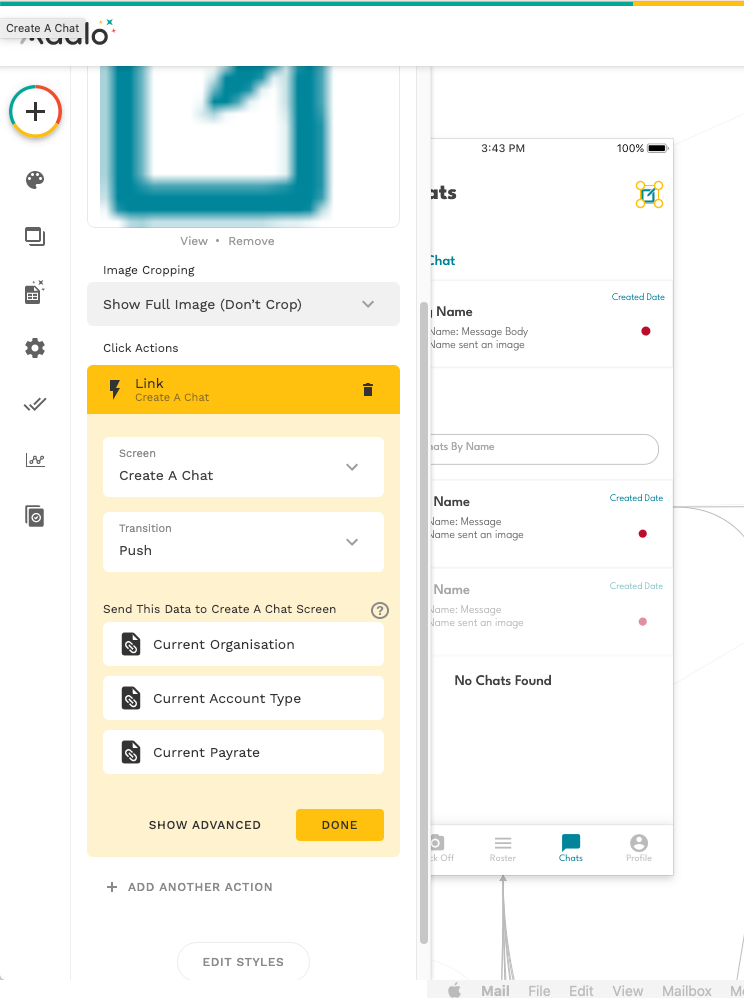
But on the screen it is linked to, the data says unavailable from the previous screen. Why would it be like that?
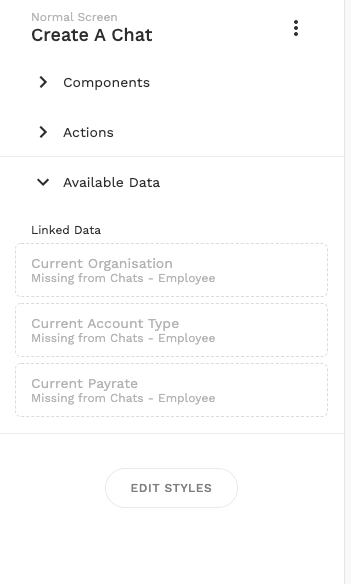
Usually if it wasn’t sending the data, it would say on the button that it is no longer sending that data.
---
### Author:  [@theadaloguy](https://forum.adalo.com/u/theadaloguy)
#### Post date: [July 27, 2022, 9:50am UTC](https://forum.adalo.com/t/data-not-sending-even-though-it-says-it-is/30010/2 "2022-07-27T09:50:47Z")
Because another page, linked to Create a Chat screen, is not sending data. You need to go to Chats - Employee page, and make sure that screen is also sending data to Create a Chat.
All inbound links to a page must send the same data for it to then be available.
---
### Author:  [@Archer](https://forum.adalo.com/u/Archer)
#### Post date: [July 27, 2022, 11:29pm UTC](https://forum.adalo.com/t/data-not-sending-even-though-it-says-it-is/30010/3 "2022-07-27T23:29:01Z")
But the two screens that are sending the data to this page are the same, the buttons on respective pages say they are sending the data but they aren’t.
And on the “Chats - Employee” page where the data is sending, this is the available data:

The other page is exactly the same: The data i want is there.
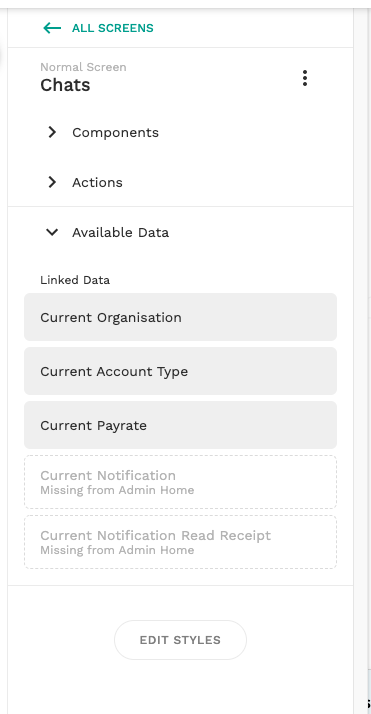
So it should be working should it not?
---
### Author:  [@theadaloguy](https://forum.adalo.com/u/theadaloguy)
#### Post date: [July 28, 2022, 5:12am UTC](https://forum.adalo.com/t/data-not-sending-even-though-it-says-it-is/30010/4 "2022-07-28T05:12:38Z")
I haven’t seen your app but I have come across similar before if there’s a long chain of data flow. In this case I wrap the button in a list of organizations where organisation ID = current organization ID, for example. This refreshed the data flow for me in the past, and the list will pass on the data for you. Something to try perhaps.
---
### Author:  [@system](https://forum.adalo.com/u/system)
#### Post date: [August 7, 2022, 5:12am UTC](https://forum.adalo.com/t/data-not-sending-even-though-it-says-it-is/30010/5 "2022-08-07T05:12:46Z")
This topic was automatically closed 10 days after the last reply. New replies are no longer allowed.