Update User > hasAccess = true and hasActiveSubscription = true
Another action: Link to a Registration screen
The Problem:
Since I added this, the “Submit Ad” button no longer works, and it seems like some logic is broken.
I think I may have made a small mistake somewhere, but I can’t figure it out.
The Preview is also not reliable, so I have to re-upload the app for testing each time — which slows everything down.
Please I need help
Thanks so much in advance
I’m attaching all screenshots to make it easier.
@Domba frankly speaking, I can not understand the logic, why did you set this up in such a way, where is “submit ad” button and how is it connected to IAPhub.
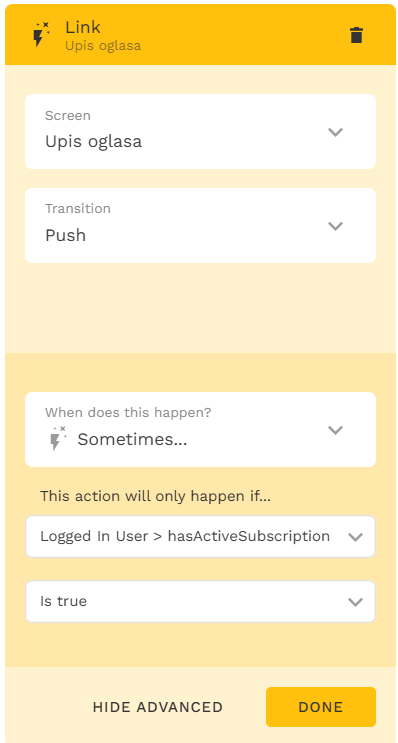
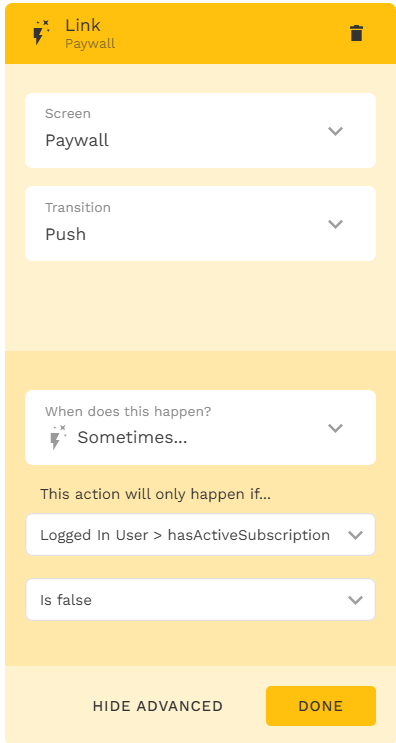
From what I understood, you are using 3(!) properties on IAPhub start screen (I’m assuming it is a component you’re talking about): hasActiveSubscription, hasAccess and adPosted. In my opinion, mixing them in one action flow is not a very good idea. IAPHub start component’s main goal to check: does this user has an active subscription or not? (and what subscription type, but that’s the different story). Based on this, you can send a user to one path or to another path, and there you can implement additional logic. Maybe you could do it in a single flow after IAPHub start, but I can’t say if it’s possible or not. But I never see the update of hasActiveSubscription based on IAPHub’s result.
Also on your screenshots I can see some strangely defined logic. E.g. on the 1st screenshot you update Logged-in User → hasActiveSubscription, hasAccess and adPosted to True, if adPosted is False; but hasActiveSubscription should come from IAPHub (???).
If you show screenshots of actions in their execution order, then you will never get to Paywall in case of adPosted = False initially, because you’ll set all 3 props to true, and user will go to Profil za reg. kor. (never reaching other links).
Sorry, the configuration is difficult to understand and my advice would be to simplify it first (easiest way is to separate it to multiple screens).


 How the logic is supposed to work:


 What else I added:
 The Problem:
 Please I need help