This problem has not been solved. The image doesn’t load fully on the first attempt, which negatively affects the user’s initial experience.
Hi @Yuki.O,
I’ve never seen this behaviour. How did you set up your image in the list? Via Image or URL?
Also, does the issue appear only on one screen (list), or in all lists w/images in your app?
Best,
Victor.
Hi @Victor
When I open the inbox page for the first time, certain images don’t load. But when I navigate to another page and come back to the inbox, the correct profile images start appearing one after another.

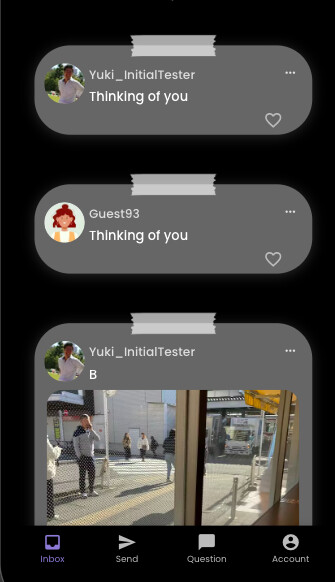
The setup is: user list → current user → image.
If an image doesn’t load, a default personal image is shown. Without this setting, the image area becomes blank, which confuses users, so I’ve added a placeholder image just in case.

Hi @Yuki.O,
I can see that you have this list on the Home page.
What happens if you put it on another page?
Best,
Victor.
Hi @Yuki.O,
Just 2 random questions based on something I noticed, are you building on legacy builder or responsive builder and is the new react native toggle turned on or off?
Thank you and have a great day!
Hi @Yuki.O,
That’s great to hear!
From what I noticed recently with legacy apps, if the new react native version is being used (toggle turned ON) then this issue arrives and when not being used (toggle turned OFF), everything working normally! Is that what you experienced?
Thank you and have a great day!