Hello @appbuilder, you can submit a support ticket if some of your app users are still reporting this issue.
Support ticket link: Right Desk
Thank you!
Ali Bazzi
Hello @appbuilder, you can submit a support ticket if some of your app users are still reporting this issue.
Support ticket link: Right Desk
Thank you!
Ali Bazzi
Hi @Ali-Bazzi,
thanks for your response. I actually reported this issue to support on July 17th, but unfortunately, I only received this reply:
“Your app includes third-party and private components, and the issue you’re experiencing appears to be related to one of those components.
We recommend reaching out to the developer listed in the component’s Marketplace listing. They’ll be best equipped to help you resolve this.
As a suggestion, you might also try aligning the tab bar and notification component more closely with the screen layout, as the current misalignment could be contributing to the issue. If that doesn’t fix it, unfortunately, we won’t be able to troubleshoot further on our end.”

I responded with more details about the bug, but I haven’t received any further reply. That’s why I decided to try the forum – I believe this could be a bug affecting multiple users, especially on some Xiaomi devices.
Yes, I appreciate your effort to solve this issue. In case you haven’t received an answer on your previous ticket, please submit a new ticket mentioning the new information and reason that can cause this issue.
Thank you!
Ali Bazzi
OK, I found this bug. It’s the new OneUi 7.0 on Android.
I’ve just updated my own device. Before using the new UI, no issue in my app. After updating to the new Android One UI 7.0 the issue is now present.
Therefore I know it isn’t my app as it was working fine minutes ago, before the new UI update.
Hi @appbuilder
We’ve received your ticket and are currently testing the issue across different devices and in the new Android UI 7.0 to see if we can replicate it and identify a solution.
Please give us a little time, we’ll follow up with an update in your support ticket as soon as possible.
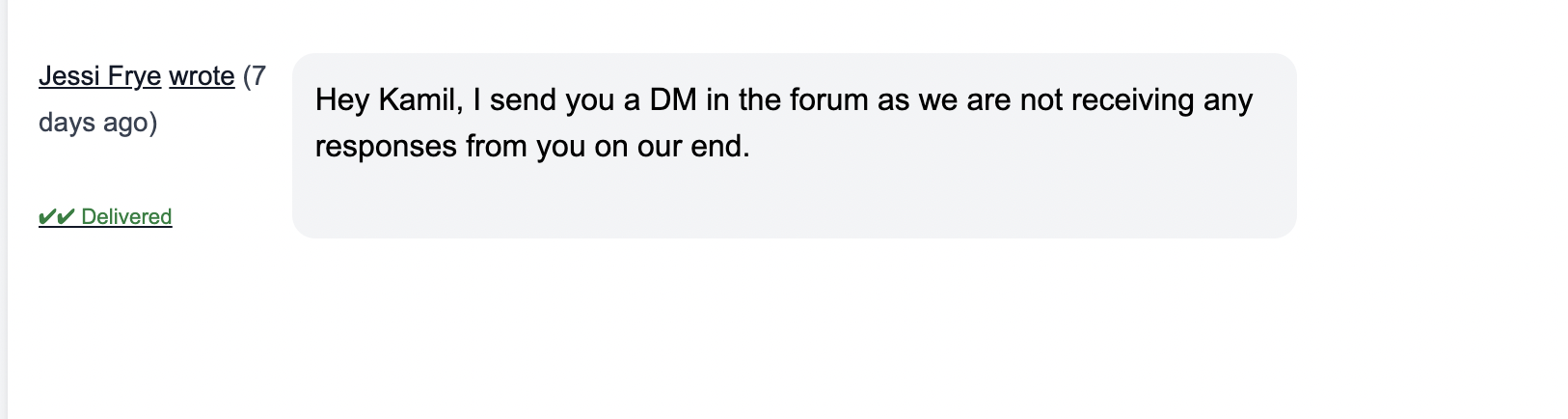
@Kamil_Twins We are not receiving your responses to our support tickets so I will DM you.
I’m having the same problem!
Tested on various Samsung Galaxy devices, all with the same bottom nav bar error.
The new Android UI Bottom Navigation overlaps with the adalo app bottom nav bar.
Let me know if I can help with some info!
@nvrjulian if you could submit a ticket with the details including the devices and OS you are testing on, that would be helpful.
Hello,
With the additional comment of another user experiencing the same issue. Are we able to get confirmation if this issue has been identified by the Adalo team and if a fix is being issued, please?
Just some update would be appreciated, please.
**This is a critical error, so it could be addressed urgently. I’ll add my urgent request!
Because Ticket Support doesn’t work for me.
**

Just for anyone following this thread. I personally haven’t had any update on my support ticket for over 24 hours, and as you can see no update in regards to this issue today.
Very disappointing.
Still no reply to support ticket or this forum thread.
Can any Adalo staff confirm what’s going on? I have users on my app who aren’t able to navigate correctly because of this issue.
Hi @appbuilder,
We’ve requested some information and are currently waiting to receive it from your end. Could you please check the support ticket replies and share the details we asked for?
Hello - I have received your e-mail and am awaiting further testing from Adalo.
I have since removed the bottom nav bar from my app and re-added it. I’ve downloaded a new version of my app, and the problem persists.
Anyone not on the Android OneUI 7.0 has no issue, it’s only an issue for those that have upgraded their UI.
This issue is causing me a lot of concern. It isn’t only affecting the Bottom Bar, but the app in general. It seems the new Android system UI bottom overlay is “always on top”, and therefore any “Section” in Adalo is being covered by this Android overlay.
My app is becoming unusable for Android users. I need this issue to be fixed.
Further to my last. A simple Google search shows that this Android OneUI 7.0 is causing this issue on a lot of apps. Not just those built in Adalo. However, the developers seem to be having to implement fixes to accommodate the new Android UI.
Hi @appbuilder,
Our engineering team is currently working on a fix, and I’ll be following up with them regularly to keep you updated on the progress.
In the meantime, I apologize for the inconvenience this issue has caused. As a temporary workaround, you can try changing your Android navigation settings from the taskbar (buttons) to swipe gestures:
Go to:
Settings > Display > Navigation Bar > Select “Swipe Gestures”
Thank you for the update and confirmation of a fix. That’s a positive sign. Looking forward to the update.
Hi @JahnaviHB, any update from the engineering team?
Hi Adalo staff: @Vagisha, @JahnaviHB,
I originally reported this issue via support ticket on July 17. After receiving an initial rejection, I sent several follow-up replies directly to the ticket — but I haven’t received any response since then, which is why I opened this thread on the forum.
I’m not sure if my emails are being lost in the Metrix system, or if I’ve somehow become invisible.
This issue currently prevents me from publishing an Android update of my app, so I would really appreciate information on whether this bug is being reviewed and when a fix might be expected.
Thank you.
Kamil
Hi @Kamil_Twins
Thank you for reaching out again. I completely understand the importance of this to you.
I just wanted to gently share that @Jessi has already responded to your query both within this thread and via the support ticket. It might be worth checking your inbox or spam folder, just in case the message didn’t land in the right place.
We truly want to help you resolve this as smoothly as possible, and continuing the conversation on direct message with Jessi will help us support you more efficiently.
Thank you so much for your patience and understanding. We truly appreciate it.