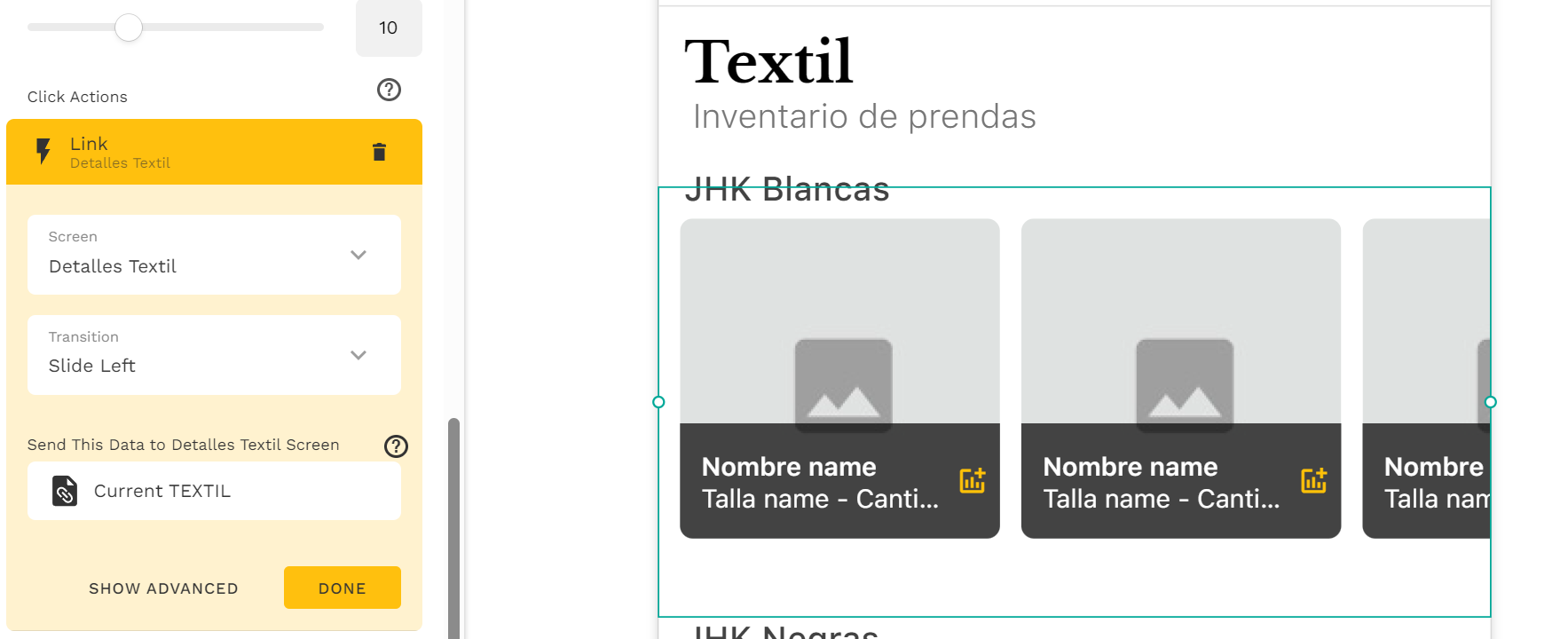
Hi,I created a list and added an icon to the row. What I want is this: when the user taps the icon, only that specific row’s data should be passed to another screen. On that screen, I should be able to view and edit the selected record.
I tried using the Link action with Send this data, but I still can’t get it to work as expected. It should send only the selected row’s data, but it doesn’t seem to be doing that. What might I be doing wrong?
I can see that you’ve added a link action which the current record data should pass into the linking screen. (I think the other action is an update action from what I can see and not sure why it’s needed in this case.)
In the linking screen, you can add text components and map the clicked record data from magic text. Then you can link to another screen that consist of a form component to edit the record. Before this, make sure if the data has been passed and not missing from screen settings. (https://www.youtube.com/watch?v=Qo9SnoyWAyU&pp=ygUSYWRhbG8gZGF0YSBtaXNzaW5n - Recorded by Patrick Ford)
My goal is to build a workflow system for my production line. Inside my list, I added an action icon (the arrow icon). When the user taps this icon, I want only the selected row’s data to be passed to the next screen — exactly as it appears in the list.
On that next screen, the team completes their part of the process, and once the task is finished, I want to move the same record to the following screen in the workflow. Each screen represents a different stage of production, so the same record needs to move step-by-step through these stages.
I’m familiar with the settings you showed in the video, and I’ve already applied them. However, I still can’t achieve the result I want.
Do you meant that the data isn’t available on the next screen(s) to map out the properties from magic text? If you’re thinking the layout in the list will get copied automatically after linking to a new screen, that’s not correct and you need add newly or copy & paste from the list into the new screen.
I was able to translate your screenshots to understand and i saw na update and a link.
Normally to pass data to another screen you should only link BUT, just linking not give you the info on screen, you have to create a text field o a table which contain the selected item in the previous screen.
IE: Cloth specifications
I have use only LINK to another screen so it send the data from the current item/list/table.
Then:
I prepare a board to see the info related to the current item. I made a “grid” in this way but you can do whatever you like, even put a form to edit the field or fields you like in each step, setting in the form button and UPDATE action like the last screenshot i put here.