Help Needed — Quiz app not moving to next question in Adalo
Hi everyone
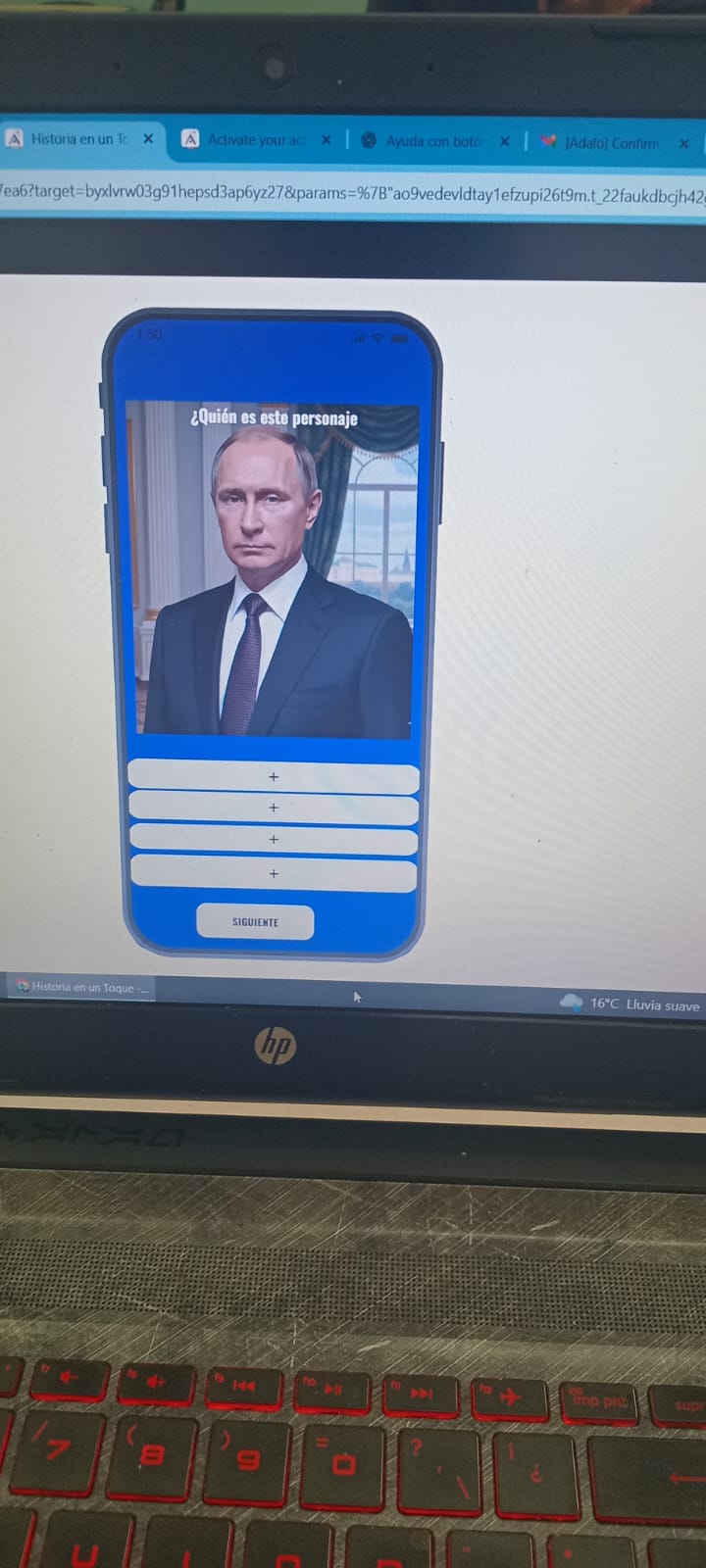
I’m building a quiz app in Adalo where users have to guess an image.
Here’s my setup:
Collections:
Questions → field Order (1, 2, 3, 4, etc.)
Users → field Current Question (Number)
Screens:
Two screens: Guess Image 1 and Guess Image 2
Each screen shows one question from the database
Custom List filter: Order is equal to Logged In User → Current Question
Next button actions: Update Logged In User → Current Question + 1 Update Logged In User → Refresh + 1 Link → Guess Image 2 (and from that one, back to Guess Image 1)
The screen visually changes, but the app always shows the first question (Order = 1) — it never goes to the second, third, etc.
When I check the database (Users → Current Question), the value stays at “1” and doesn’t increase.
What seems to be happening
Adalo is reloading the same question instead of moving forward.
So the logic is restarting the flow instead of progressing through the list.
Question for the community
What’s the correct way to configure the Next Question logic so that:
The user’s Current Question increases (+1) when pressing Next
The list automatically refreshes to show the next record
The screen doesn’t reload the same question or reset the flow
Should I use a “Refresh Data on this screen” action instead of linking to another screen?
Or is there a better logic for moving through a list of questions dynamically?
Any advice, screenshot, or example of this setup working properly would help a lot
You don’t need two screens for this because you just need to filter the list which showing the question. You have mentioned that you have already storing the Q number (ID) in the logged in user’s row which you need to filter the questions list with that property. Is this what ChatGPT said, you already have configured?
Hi Emi, we had a call yesterday to see what you wanted to do, and we’ve already got that function working, as well as the app’s order! Good luck with your development!
The other day I spent a few minutes looking at the app and made some adjustments, for example:
We added a numeric field to the database for correct answers (+1) and incorrect answers (+1).
We added the incorrect answers to a database so the user can re-answer them.
The question database contains the image, the correct answer, and four possible answers. We added a status to the button: if the first answer is not the correct one, it displays the status. When pressed, it’s incorrect (+1) and adds that question to the incorrect answer database. The same applies to the other questions.
We added a TextTemp field to the database. If the value is correct, it saves “Correct” in TextTemp; if incorrect, it saves “Incorrect.” The system then sends the user to a modal window that displays the TextTemp value and an emoji indicating whether it’s correct or incorrect. There are also three buttons: 1: Continue; 2: Abandon (which takes the user to the homepage and displays the same question number as the logged-in user’s question); 3: Repeat (this button is visible if the TextTemp value is incorrect, and when pressed, it updates the logged-in user to question number 1 and then returns to the previous question).
Here are some of the details… we played around for a while and managed to put together these practical functions!

 Update Logged In User → Current Question + 1
 Update Logged In User → Refresh + 1
 Link → Guess Image 2 (and from that one, back to Guess Image 1)
 What seems to be happening
 Question for the community