I have read and followed the steps in the Collection Permissions article, and I still need a little help.
I’m making a journal app, and I only want the User to see their own notes. I have put in a One to Many Relationship between the User and the Training Entries collections.. I have set the Permission so that Some Logged In User, User can view the Training Entries. Unfortunately, the Training Entries aren’t being displayed, i.e. the User just added an entry, hit the back button, and it doesn’t display for the User who is still logged in.
Any suggestions for what I am missing? (also I don’t know why there’s an image stuck on my screen)
The setting seem to be right, but it’s difficult to debug this remotely. Therefore let me give you a hint how you can do it by yourself.
In Adalo there are 2 “layers” how you can filter the list output, so that only some of the entries are displayed (in your case - a User can see only the Entries which belong to them):
List filtering - when you display a filtered list of entries. This means that Adalo backend will return a limited set of records to show (but with a different query it can return another set of records). In your case, if you have a list of entries filtered by Logged-In User → Entries, you will get the entries for a user; but if you accidentally remove the filter in the app builder, you will get all Entries.
Collection permissions - this means that Adalo backend will not return entries not matching the permission at any circumstances.
So, in your case: in order to check what’s not working - a list with filter, the screen refresh or collection permissions, you can remove any permissions (make everything readable by anyone) and test if the entry is still displayed.
if not displayed - the issue is with the screen refresh or the list itself
Hi Victor, thank you for your detailed reply and explanation on filters vs permission.
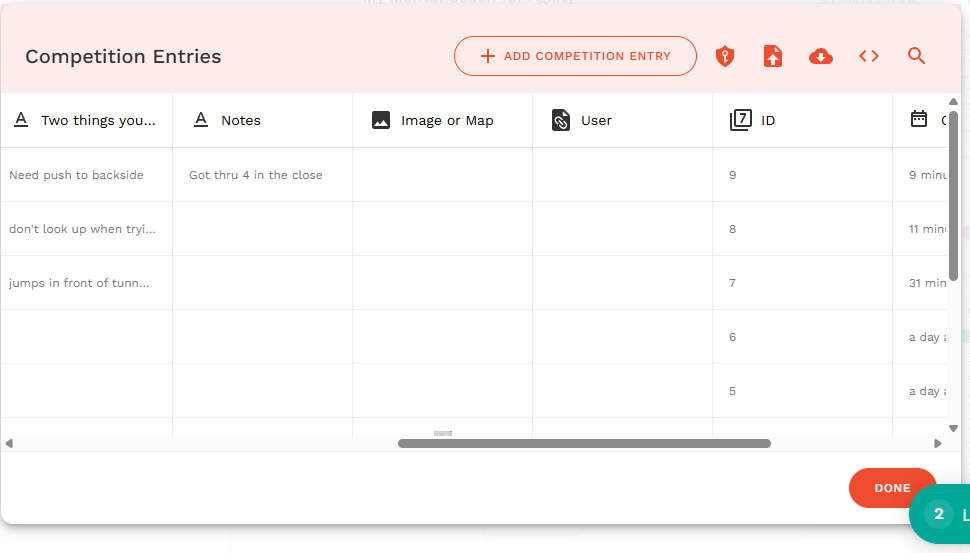
The good news is that if I put permission for Logged In Users to view, all of the entries display. Unfortunately, if I filter Logged In Users > Competition Entries, I don’t see anything. When I look at the Competition Collection, it does not show any entry under User. (Same for Training Collection). Something is keeping the database from recording the User. Aside from Relationship, is there some other setting I’m missing?
@Gday in the database collection screenshot I can’t see any connected users to the record. How should the permissions work then?
There might be a mistake in the place when Completion Entry is added (no user is linked).